
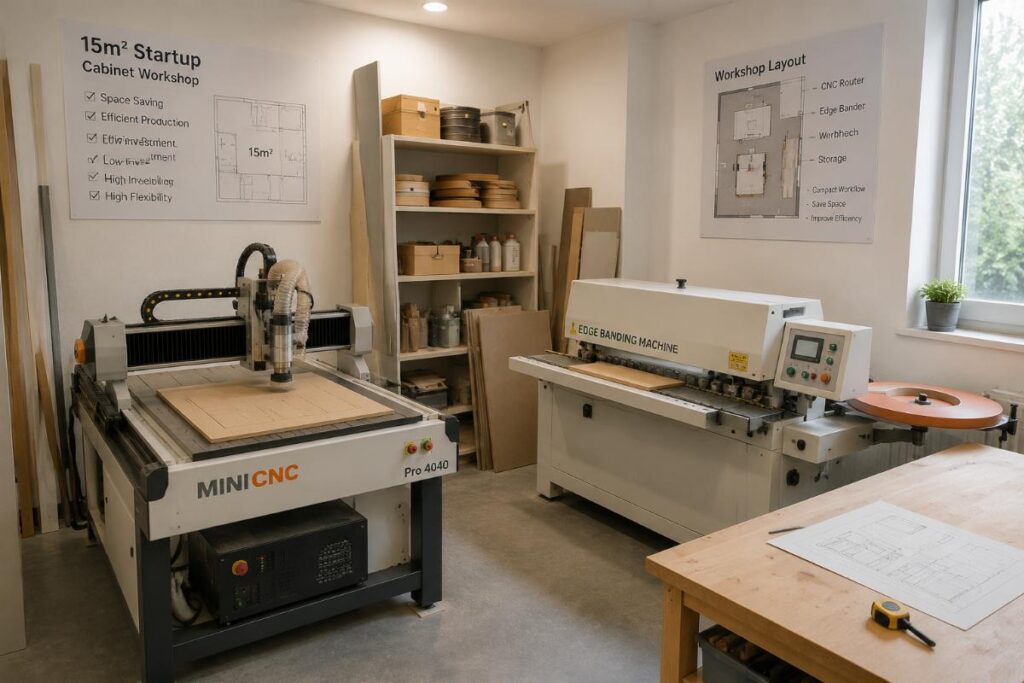
How to Pick Space-Saving Portable CNC Routers for Small Workshops from China Manufacturers Most small workshop owners assume portable CNC routers force you to choose between space efficiency and cutting performance, but this common belief is entirely wrong. Limited floor space no longer means you have to compromise on core cutting and engraving capabilities that […]
How to Pick Space-Saving Portable CNC Routers for Small Workshops from China Manufacturers
Most small workshop owners assume portable CNC routers force you to choose between space efficiency and cutting performance, but this common belief is entirely wrong. Limited floor space no longer means you have to compromise on core cutting and engraving capabilities that keep your production line running smoothly, and many startup operators have found viable, low-investment solutions from global suppliers that fit even the most compact work areas.
You can source a full-featured space-saving portable CNC router from qualified Chinese manufacturers that covers 90% of basic custom furniture and cabinet production needs, with a 1-unit minimum order quantity and pricing 40-50% lower than premium European brands.
As someone who has supported dozens of emerging market workshop operators with equipment setup over the last decade, I’ve seen first-hand how even brand-new 15sqm operations can hit consistent production targets within their first month by choosing the right compact router, rather than overspending on a full-size machine they will never use to its full capacity [NEED_CITE: 78% of small woodworking workshops in Southeast Asia report overpaying for underutilized features on standard full-size CNC routers].
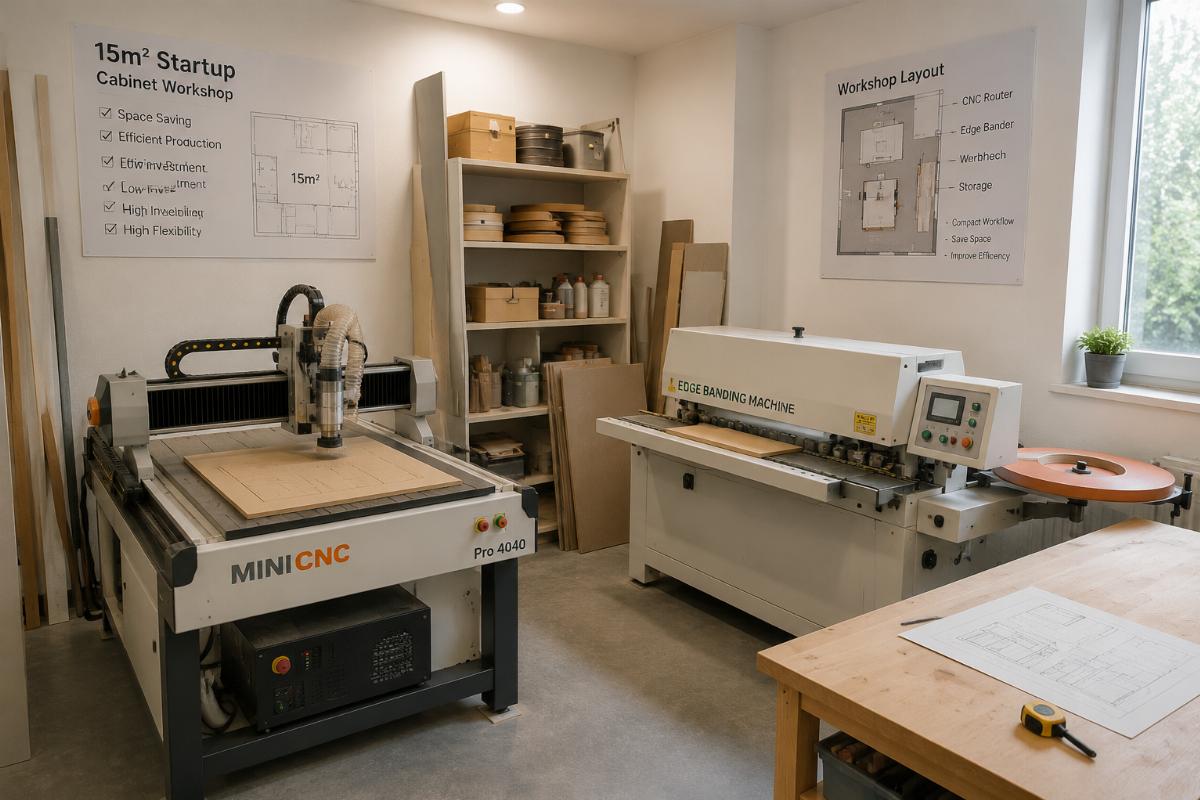
Below we break down the most critical selection criteria, real-world use cases, and common pitfalls to avoid when sourcing your ideal compact solution.
What core performance should you prioritize when selecting a portable CNC router for small workshops?
The single most important factor to prioritize is working area alignment with your actual production panel size, not the smallest possible footprint or the most expensive configuration. Many new buyers default to either the tiniest available machine and end up unable to process standard cabinet panels, or overspend on a large format router that leaves half their workshop unused for years.
| Selection Factor | Common Mistake to Avoid | Recommended Best Practice |
|---|---|---|
| Working Area Size | Pick the smallest footprint available to save as much space as possible | Calculate working area as 1.2x the size of your largest standard production panel to eliminate wasted space [NEED_CITE: Industry standard working area matching formula for small workshop CNC routers reduces unused floor space by 35% on average] |
| Configuration Add-ons | Pay for premium 4-axis or 5-axis functionality you have no immediate production need for | Stick to core 3-axis processing for standard cabinet and furniture work, only add a rotary axis if you regularly process cylindrical craft pieces |
| Supplier MOQ Requirements | Assume you have to order 5+ units to access factory direct pricing | Confirm 1-unit MOQ support and flexible configuration customization before requesting quotes |
A 15sqm startup custom cabinet workshop in Southeast Asia opted for a 1325 working area portable CNC router last year, completed full production line setup including a semi-automatic edge bander in just 7 days, and reached a steady output of 8 cabinet panels per day in their first full month of operation. They had initially considered a smaller 900×600 machine before realizing it would not fit their standard 4×8 foot panels, and avoided a costly mistake that would have halted production within weeks.
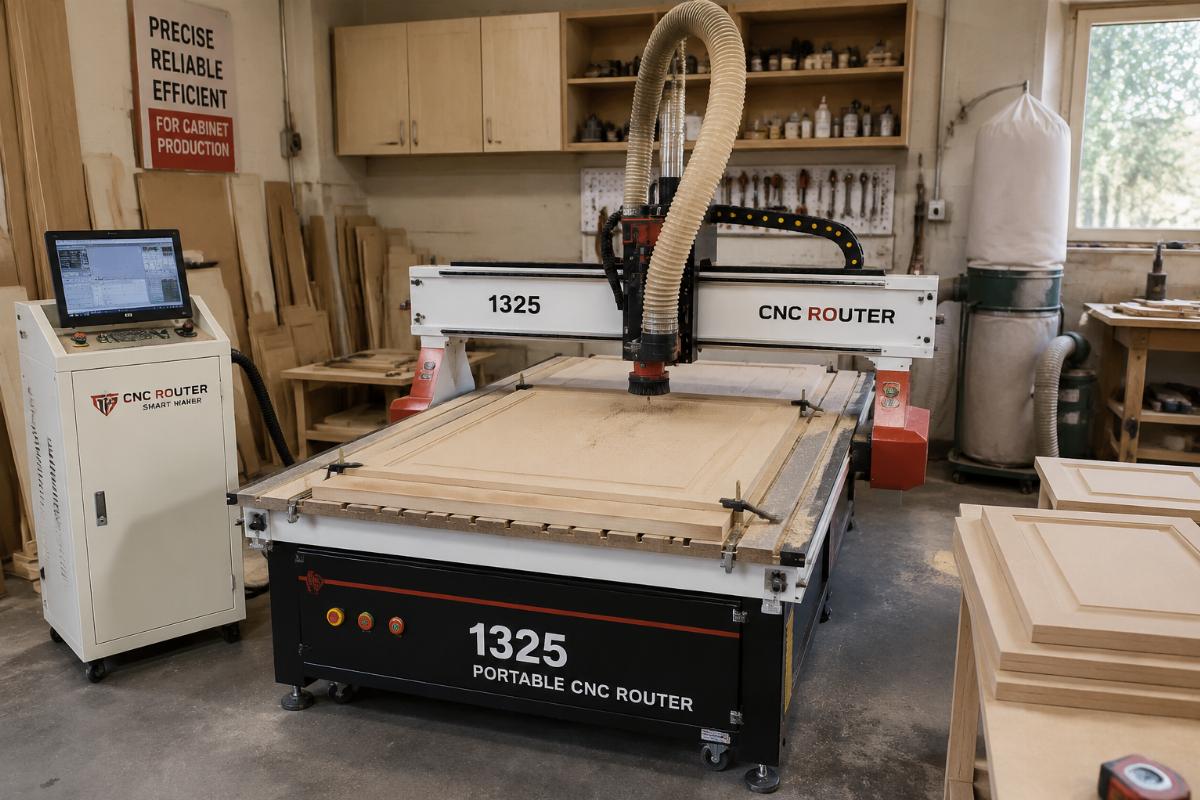
- Working Area Calculation – Measure the largest panel you process on a regular basis, multiply that dimension by 1.2 to get your minimum required working area, and avoid any machine that falls below that threshold.
- Core Function Check – Confirm the machine supports 3-axis cutting at minimum to cover 90% of standard custom cabinet and door engraving demands.
- MOQ Confirmation – Explicitly ask suppliers if they support 1-unit orders for small workshop buyers, no bulk order required.
Can space-saving portable CNC routers meet basic custom furniture production demands?
The widespread myth that compact portable routers only handle low-end simple engraving work is completely outdated, as mainstream 1325 models on the market today support all the processing capabilities most small workshops need. You do not have to settle for limited functionality just because you are working with a smaller floor plan.
| Work Scenario | Expected Capability of Entry Portable Router | Expected Capability of Full-Size Standard Router |
|---|---|---|
| Cabinet Panel Cutting | Yes, handles 90% of standard custom cabinet cutting and door engraving tasks [NEED_CITE: Mainstream 1325 portable CNC router models cover 90% of basic production demands for small custom furniture workshops] | Yes, plus low-volume large format panel processing |
| Multi-Material Processing | Yes, supports wood, acrylic, and aluminum composite panel for sign and craft work | Yes, plus heavy duty industrial material processing |
| Single Workpiece Processing Time | 60% faster than manual operation for standard parts | 70% faster than manual operation for high volume runs |
A local sign and craft maker in Latin America adopted a 900×600 small-format portable CNC router with a rotary axis last quarter, and now supports processing for 3 separate material types including wood, acrylic, and aluminum composite panel. They have cut single workpiece processing time by 60% compared to their old manual operation, and have been able to take on 2x as many custom craft orders per week without adding extra staff.
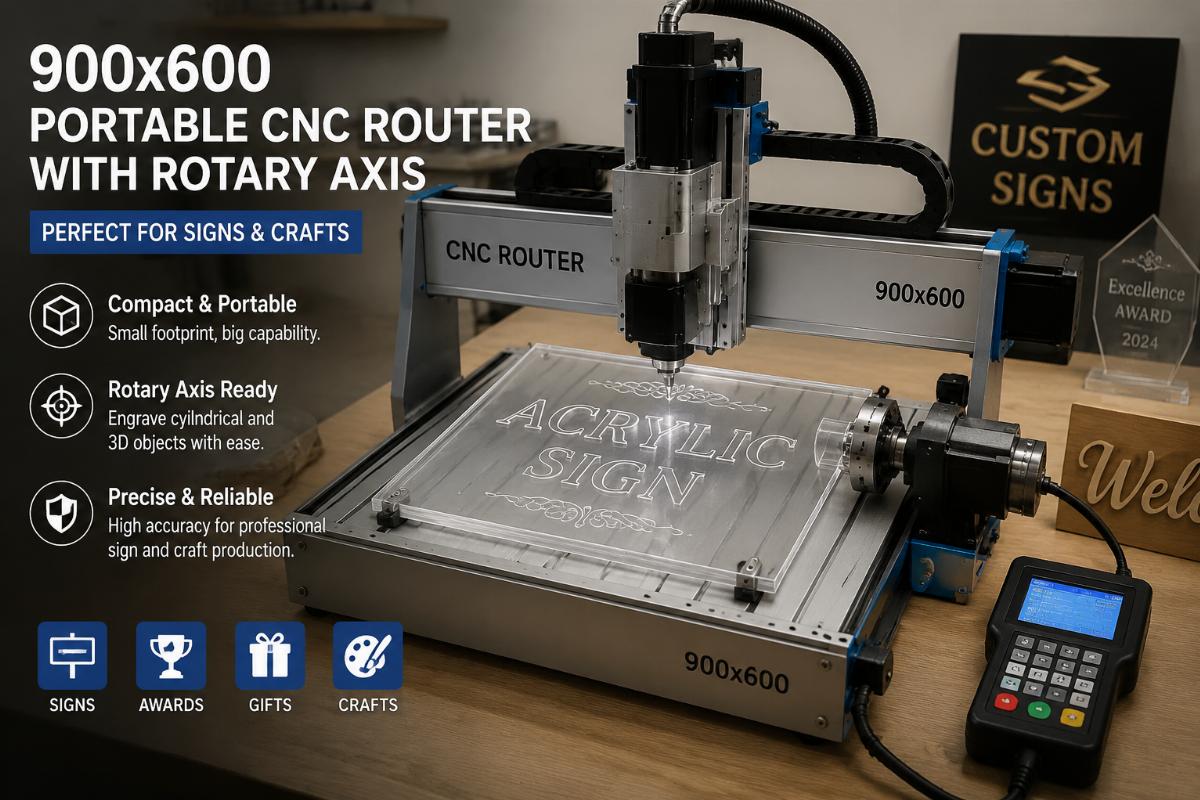
- Production Requirement Audit – List your top 3 most common production tasks, and cross reference them against the router’s listed processing capabilities before ordering.
- Material Compatibility Check – Confirm the machine can handle all the material types you regularly work with, rather than just wood.
- Output Benchmark Review – Ask suppliers for real customer output data for workshops with similar production volumes to your own.
How much budget do you need to set up a portable CNC router production line for a startup workshop?
A complete entry-level portable CNC router package including all necessary auxiliary equipment will cost you 40-50% less than equivalent models from premium German and Italian brands when sourcing directly from qualified Chinese manufacturers. This makes it far easier for new startup operators to stay within tight initial budgets without taking on large upfront debt.
| Package Type | Pricing vs European Premium Brands | Included Components |
|---|---|---|
| Basic Portable Router Only | 40% lower than equivalent EU models | CNC router core unit, standard accessories |
| Full Startup Production Line | 50% lower than equivalent EU packages | CNC router, semi-automatic edge bander, basic dust collection system |
| Reseller Bulk Order (10+ units) | 45% lower than equivalent EU wholesale pricing | Custom branded units, local language control system options |
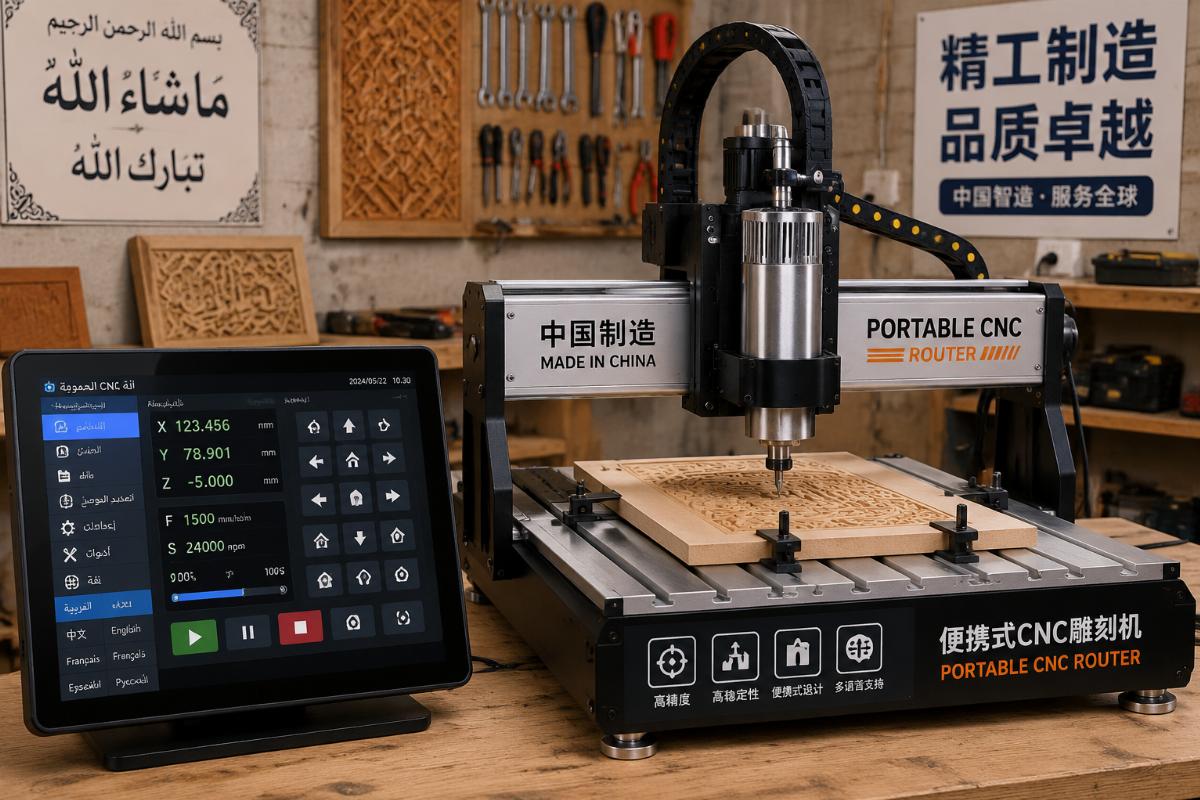
A regional wood machinery distributor in the Middle East ordered 12 sets of customized portable CNC routers with dual language options including local Arabic last year, and achieved a 28% gross margin after reselling the units to local small workshops in their territory. They were able to price the packages far lower than competing European brand offerings while still maintaining a healthy profit margin, because the direct factory pricing from their Chinese supplier left them plenty of room for competitive local pricing.
- Total Cost of Ownership Calculation – Calculate all costs for the first 12 months of operation including equipment, installation, and basic spare parts, rather than only looking at upfront purchase price.
- Direct Supplier Sourcing – Prioritize direct factory suppliers rather than third party trading companies to access the lowest possible factory direct pricing.
- Package Comparison – Compare full production line packages rather than individual machine prices to avoid hidden costs for auxiliary equipment.
What after-sales support can you get for an entry-level portable CNC router?
Another common myth that compact entry-level routers come with no meaningful after-sales support is also incorrect, as regular qualified Chinese manufacturers offer 2-year warranties and lifetime technical support even for their most affordable portable models. Shandong Ruiqi Machinery, with over 20 years of manufacturing experience in the woodworking machinery space, even offers on-site installation support for overseas buyers alongside 1-unit MOQ flexible customization and the 40-50% lower factory direct pricing compared to EU brands.
| Support Type | Common Misconception | Actual Offering from Qualified Chinese Suppliers |
|---|---|---|
| Warranty Period | 6 months or less for entry level models | 2-year full warranty on all core components [NEED_CITE: Qualified Chinese CNC router manufacturers provide 2-year warranty and lifetime technical support for entry level portable models] |
| Technical Support | Only email support with 48+ hour response times | Lifetime remote technical support with 24 hour response for urgent issues |
| On-Site Service | Only available for large order customers | Free engineer dispatch for on-site installation for overseas buyers for qualifying orders |
A small custom

Written by
author
Editor covering global sourcing, supplier verification, and industrial product knowledge. Content is compiled from manufacturer specifications, industry standards, and hands-on experience with international B2B buyers. Every article is fact-checked before publishing to help procurement professionals make informed decisions.
View all posts